 SlashFlow
A useful support handoff note tells the receiving colleague what the customer reported, what has actually been checked, what remains unknown and what to do next. Include the case reference, the current owner and the next customer-update commitment. If the receiving person has not accepted the work, say so.
The note should make the next action understandable without replacing the original case history. Link to relevant evidence, keep customer-specific details in the approved case record and follow your team's assignment process.
A note, an assignment and a customer update do different jobs
An internal note explains the case to a colleague. An assignment records who is responsible in the system your team uses. A customer update explains what the customer can expect next. Writing one does not prove that the other two happened.
For example, “Sent to the specialist team” could mean that someone wrote a note, selected a queue or received an acknowledgment. Replace it with the event you can verify: “Specialist review requested; acceptance pending. Priya remains responsible for the next customer update.” Adapt those labels to your team's existing process.
Help-desk systems also distinguish these actions. Intercom documents team and teammate assignment separately from the message content. Zendesk documents different visibility for public comments and internal notes. Check the destination and its audience before sharing; do not assume every text box has the same visibility. Intercom assignment documentation, Zendesk comment visibility documentation.
Copyable support handoff note
Copy this into your approved internal case record. Every square-bracketed item is a manual editing note, not an automatic field or SlashFlow variable. Remove unused lines and replace the remaining brackets before sharing.
Case reference: [approved internal reference]

Customer-reported issue:
[What they expected and what happened instead]

Checks completed:
[Action, date/time and observed result — only work actually done]

Still unknown:
[The specific question that has not been answered]

Requested next action:
[One concrete check or decision needed from the receiver]

Ownership and handoff state:
[Current owner; intended receiver; requested/accepted/clarification needed]

Next customer update:
[Who will update the customer, by an agreed date/time/time zone]

Relevant evidence:
[Minimum approved case links or references needed for the next action]
Keep “checks completed” separate from “still unknown.” A customer report is useful evidence, but it is not the same as a result you reproduced. Similarly, a plausible explanation is not a confirmed cause.
For example, “Customer reports that export fails” and “Support reproduced the same error using a demo report” describe different observations. Neither establishes why it failed.
Worked example: an export error with no confirmed cause
This is a fictional case in a generic reporting app, created to illustrate the note. It is not a SlashFlow incident, customer testimonial or promised response time. Names, case references and timing are illustrative.
Case reference: DEMO-104

Customer-reported issue:
The report preview opens, but selecting Export CSV shows
“Export unavailable.” The customer needs the exported file
for a report they are preparing today.

Checks completed:
10 November, 09:20 AEDT — Priya opened a demo report and selected
Export CSV. The same error message appeared. Preview still opened.

Still unknown:
The cause of the export failure has not been established.
We have not confirmed whether other reports are affected.

Requested next action:
Please investigate the failed export for the demo case and record
the result. If more evidence is needed, name the specific item.

Ownership and handoff state:
Current owner: Priya, Support.
Receiving team: Reporting specialist queue; acceptance pending.
Priya remains responsible for the next customer update.

Next customer update:
Priya will update the customer by 14:00 AEDT on 10 November,
even if the investigation is still open. This is an update time,
not a promised fix time.

Relevant evidence:
Use the demo-case reference in the internal record. The original
customer report remains in the case history.
The useful details are the failing action, the observed message, the check already performed and the question still open. The note does not claim a fix is under way or a specialist has accepted the case. Those statements would require additional evidence.
Adapt the same note for a shift change or specialist review
For a shift change, make the immediate next action and customer-update commitment prominent. Add a last-reviewed timestamp when circumstances may have changed. The outgoing and incoming colleagues should confirm ownership through their normal process; copying a name into the note is not that confirmation.
In the example, an accepted shift change could add:
10 November, 13:00 AEDT — Morgan accepted the support follow-up.
Next action: check the specialist response before the 14:00 update.
If no result is available, Morgan will tell the customer that the
investigation is still open. No resolution estimate is confirmed.
For a specialist review, make the requested investigation specific enough to answer. Replace “Please look into this” with the failing action, the result already observed and the remaining question. Include the minimum permitted evidence needed for that investigation rather than copying the entire conversation into another tool.
The person investigating and the person updating the customer may be different. Record both roles if that is how your team works, instead of assuming a transfer changes every responsibility at once.
Keep the handoff state accurate
Requested
A named action has been requested; acceptance is still pending. Follow the existing process for monitoring the request and keeping the customer informed.
Accepted
The receiving owner and agreed next action have been confirmed. Record that confirmation and who owns the next customer update.
Clarification needed
The receiver has identified a specific missing fact. Name who will obtain it and keep the ownership record current.
Do not silently turn “requested” into “accepted” because time has passed or a message was delivered. If the receiver is unavailable, use your team's escalation or coverage process. A reusable note should not invent that policy.
When new evidence changes the summary, add a dated correction or update in the case record so the receiver can distinguish the current position from earlier information. Preserve the original history according to your team's process.
Review before sharing
Read the completed note as the receiving colleague would. Can they identify the next action without guessing? Check that:
- The case reference and evidence belong to the same case.
- Customer statements, completed checks and hypotheses are distinguishable.
- The current owner, receiving status and customer-update responsibility agree with the actual process.
- Any date is an agreed update commitment, not an unsupported promise of resolution.
- The destination is the intended internal record and the receiver can access the permitted references.
- Bracketed notes, passwords, payment details and unrelated personal information have been removed.
If you also need to tell the customer about an accepted transfer, use a separate customer-facing message. The customer-support email templates guide includes an example for that situation. An internal investigation note usually contains detail the customer does not need in their update.
Reuse the blank structure with SlashFlow
SlashFlow's templates and shortcuts can help reuse the blank text structure in supported browser fields. Keep the reusable version free of case-specific names, links and commitments. Fill in the facts for the current case and review the whole note before sharing it.
Start with the text shortcuts in Chrome guide. Template insertion requires active access. Test your chosen field in a draft before relying on it; support differs between editors. A saved text template does not assign a case, grant access to its evidence or confirm a transfer. Use the destination system's own controls and your team's process for those actions. No native help-desk integration is implied.
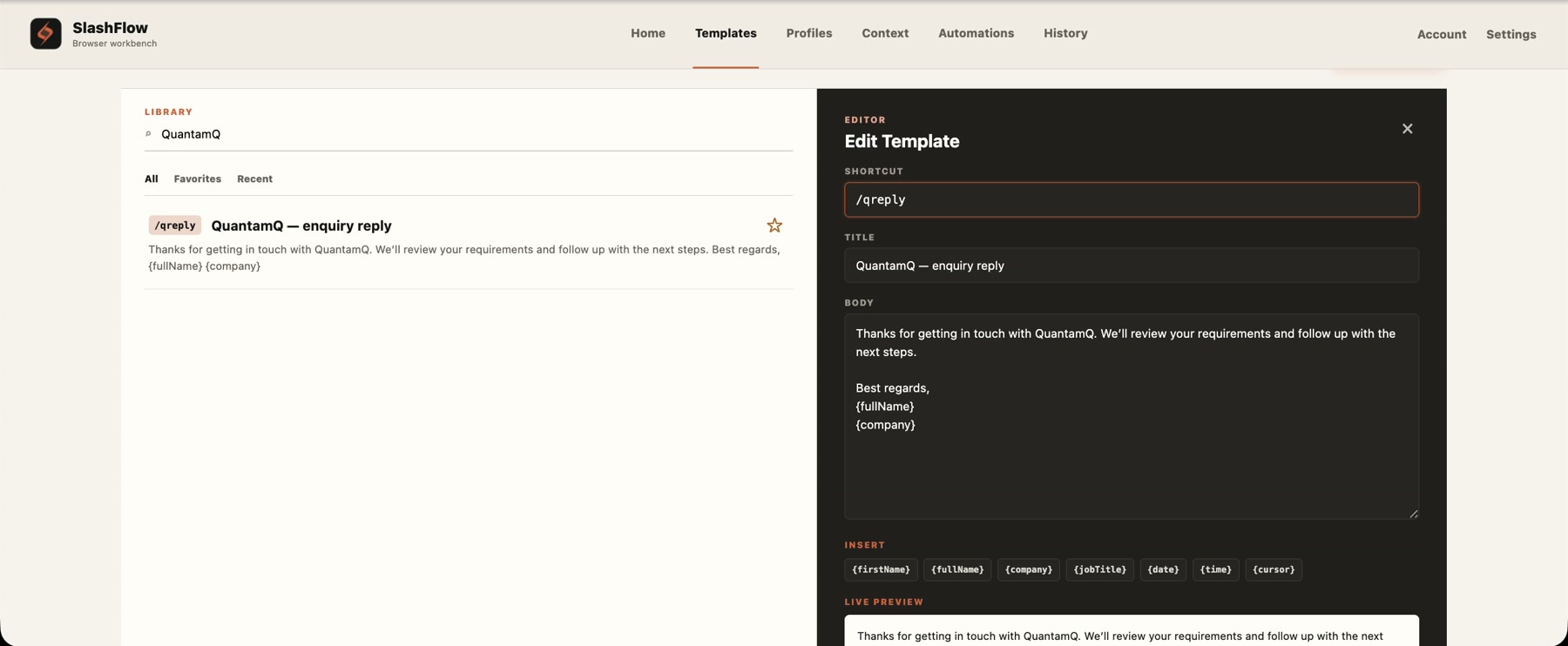
Watch the recorded template demonstration to see reusable text in the product. The recording shows a saved enquiry reply, not the handoff note above or a help-desk integration.
Common questions
How long should a support handoff note be?
Long enough to make the next action clear, with relevant evidence linked from the case record. There is no universal word limit. Remove repeated history that does not change the receiver's next step, but keep uncertainties and ownership visible.
What if the next person has not accepted the case?
Record that acceptance is pending and identify who currently owns the follow-up under your process. Do not tell the customer the receiving person has taken over until that is confirmed.
Can an AI-generated summary be used as the handoff note?
Treat it as a draft to check against the original record. Verify names, dates, actions, missing context and uncertainty. A generated summary does not establish that anyone accepted responsibility or that the described checks actually happened. Use only tools and case information your organization permits.
Is this template a shared support inbox?
No. It is reusable text for a case note. Your support system and team process still manage access, assignment, notifications and the customer conversation.